
sgcWebSockets 4.4.1 から Android デバイス向けの Telegram がサポートされており、独自の Telegram クライアントを構築できます。TDLib はネットワーク実装の詳細、暗号化、ローカルデータ保存をすべて担当します。TDLib はすべての Telegram 機能をサポートしています。
TDLib(Telegram Database Library)の利点
- クロスプラットフォーム: Windows、Android、iOS、macOS、Linux で使用できます。現在 sgcWebSockets では Windows(win32 と win64)のみがサポートされています。
- 使いやすい: アプリケーションと Telegram の通信に JSON メッセージを使用します。
- 高性能: Telegram Bot API では、各 TDLib インスタンスは 24,000 を超えるボットを処理します。
- 一貫性: TDLib はすべての更新が正しい順序で配信されることを保証します。
- 信頼性: TDLib は低速で不安定なインターネット接続でも安定して動作します。
- セキュア: すべてのローカルデータはユーザーが指定する暗号化キーで暗号化されます。
- 完全非同期: TDLib へのリクエストは互いをブロックしません。レスポンスは利用可能になった時点で送信されます。
設定
Deploy the library libtdjsonandroid.so to your device and configure your Remote Path depending of your Android Version:
Android 32: set Remote Path to library\lib\armeabi-v7a\
Android 64: set Remote Path to library\lib\arm64-v8a\
Create your Telegram
In order to obtain an API id and develop your own application using the Telegram API you need to do the following:
- Sign up for Telegram using any application.
- Log in to your Telegram core: https://my.telegram.org.
- Go to API development tools and fill out the form.
- You will get basic addresses as well as the api_id and api_hash parameters required for user authorization.
- For the moment each number can only have one api_id connected to it.
These values must be set in Telegram.API property of Telegram component. In order to authenticate, you must set your phone number (with international code), example: 34699123456
The following parameters can be configured:
- ApplicationVersion: application version, example: 1.0
- DeviceModel: device model, example: desktop
- LanguageCode: user language code, example: en.
- SystemVersion: version of operating system, example: windows.
Once you have configured Telegram Component, you can set Active property to true and program will try to connect to Telegram.
Android Sample Code
oTelegram := TsgcTDLib_Telegram.Create(nil);
oTelegram.Telegram.API.ApiHash := 'your api hash';
oTelegram.Telegram.API.ApiId := 'your api id';
oTelegram.PhoneNumber := 'your phone number';
oTelegram.ApplicationVersion := '1.0';
oTelegram.DeviceModel := 'Desktop';
oTelegram.LanguageCode := 'en';
oTelegram.SystemVersion := 'Android';
oTelegram.Active := true;
procedure OnAuthenticationCode(Sender: TObject; var Code: string);
begin
  InputBox('Telegram', 'Introduce Telegram Code', '',
    procedure(const AResult: TModalResult; const AValue: string)
    begin
      sgcTelegram.SetAuthenticationCode(AValue);
    end
    );
end;
procedure OnMessageText(Sender: TObject; MessageText: TsgcTelegramMessageText);
begin
  Log('Message Received: ' + MessageText.Text);
end;
procedure OnConnectionStatus(Sender: TObject; const Status: string);
begin
  if Status = 'connectionStateReady' then
    oTelegram.SendTextMessage('1234', 'Hello Telegram!');
end;
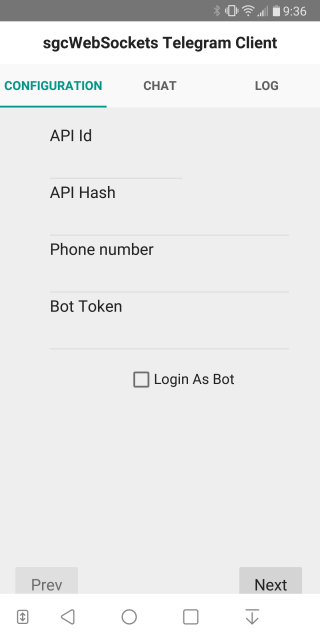
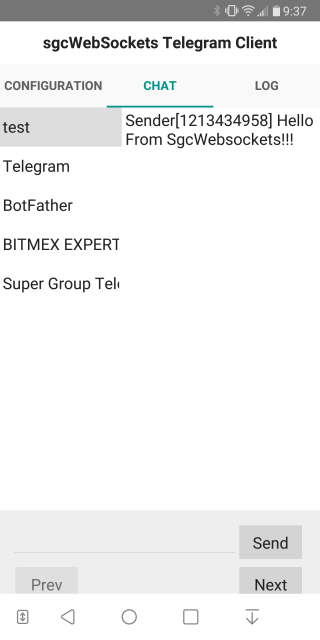
Android Telegram Client Screenshots