
From sgcWebSockets 4.4.2 Telegram is supported for iOS64 devices, which means that you can build your own telegram client. TDLib takes care of all network implementation details, encryption and local data storage. TDLib supports all Telegram features.
TDLib (Telegram Database Library) Advantages
- Cross-platform: can be used on Windows, Android, iOS, MacOS, Linux... currently only Windows (win32 an win64) is supported by sgcWebSockets.
- Easy to use: uses json messages to communicate between application and telegram.
- High-performance: In the Telegram Bot API, each TDLib instance handles more than 24000 bots.
- Consistent: TDLib guarantees that all updates will be delivered in the right order.
- Reliable: TDLib remains stable on slow and unreliable internet connections.
- Secure: All local data is encrypted using a user-provided encryption key.
- Fully Asynchronous: Requests to TDLib don't block each other. Responses will be sent when they are available.
Configuration
Copy the library libtdjson.a to the following directories:
- C:\Program Files (x86)\Embarcadero\Studio\<IDE Version>\lib\iosDevice64\debug
- C:\Program Files (x86)\Embarcadero\Studio\<IDE Version>\lib\iosDevice64\release
Where <IDE Version> is the number that identifies your Rad Studio version (example: Rad Studio 10.4 is 21.0).
Create your Telegram
In order to obtain an API id and develop your own application using the Telegram API you need to do the following:
- Sign up for Telegram using any application.
- Log in to your Telegram core: https://my.telegram.org.
- Go to API development tools and fill out the form.
- You will get basic addresses as well as the api_id and api_hash parameters required for user authorization.
- For the moment each number can only have one api_id connected to it.
These values must be set in Telegram.API property of Telegram component. In order to authenticate, you must set your phone number (with international code), example: 34699123456
The following parameters can be configured:
- ApplicationVersion: application version, example: 1.0
- DeviceModel: device model, example: desktop
- LanguageCode: user language code, example: en.
- SystemVersion: version of operating system, example: windows.
Once you have configured Telegram Component, you can set Active property to true and program will try to connect to Telegram.
iOS Sample Code
oTelegram := TsgcTDLib_Telegram.Create(nil);
oTelegram.Telegram.API.ApiHash := 'your api hash';
oTelegram.Telegram.API.ApiId := 'your api id';
oTelegram.PhoneNumber := 'your phone number';
oTelegram.ApplicationVersion := '1.0';
oTelegram.DeviceModel := 'Desktop';
oTelegram.LanguageCode := 'en';
oTelegram.SystemVersion := 'iOS';
oTelegram.Active := true;
procedure OnAuthenticationCode(Sender: TObject; var Code: string);
begin
  InputBox('Telegram', 'Introduce Telegram Code', '');
end;
procedure OnMessageText(Sender: TObject; MessageText: TsgcTelegramMessageText);
begin
  Log('Message Received: ' + MessageText.Text);
end;
procedure OnConnectionStatus(Sender: TObject; const Status: string);
begin
  if Status = 'connectionStateReady' then
    oTelegram.SendTextMessage('1234', 'Hello Telegram!');
end;
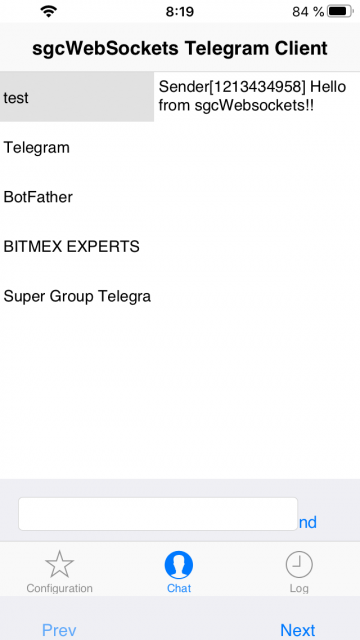
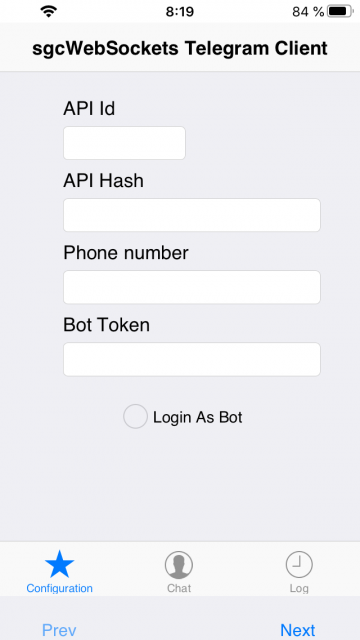
iOS Telegram Client Screenshots